
Laptops Rarely Die Without Warning
Most people think a laptop just wakes up one day and decides, “Yeah, I’m done.” Black screen. Won’t turn on. Everything gone.
But honestly? That’s rarely how it happens.
Laptops usually start acting weird long before they completely give up. Maybe it suddenly feels slower than usual. The fan sounds angry for no reason. Apps freeze. Battery drains weirdly fast. Small things that are easy to ignore because the laptop still technically works.
I’ve seen people brush these signs off for months, thinking, “It’s probably fine.” Then one random morning, the laptop refuses to start and suddenly all those little problems make sense.
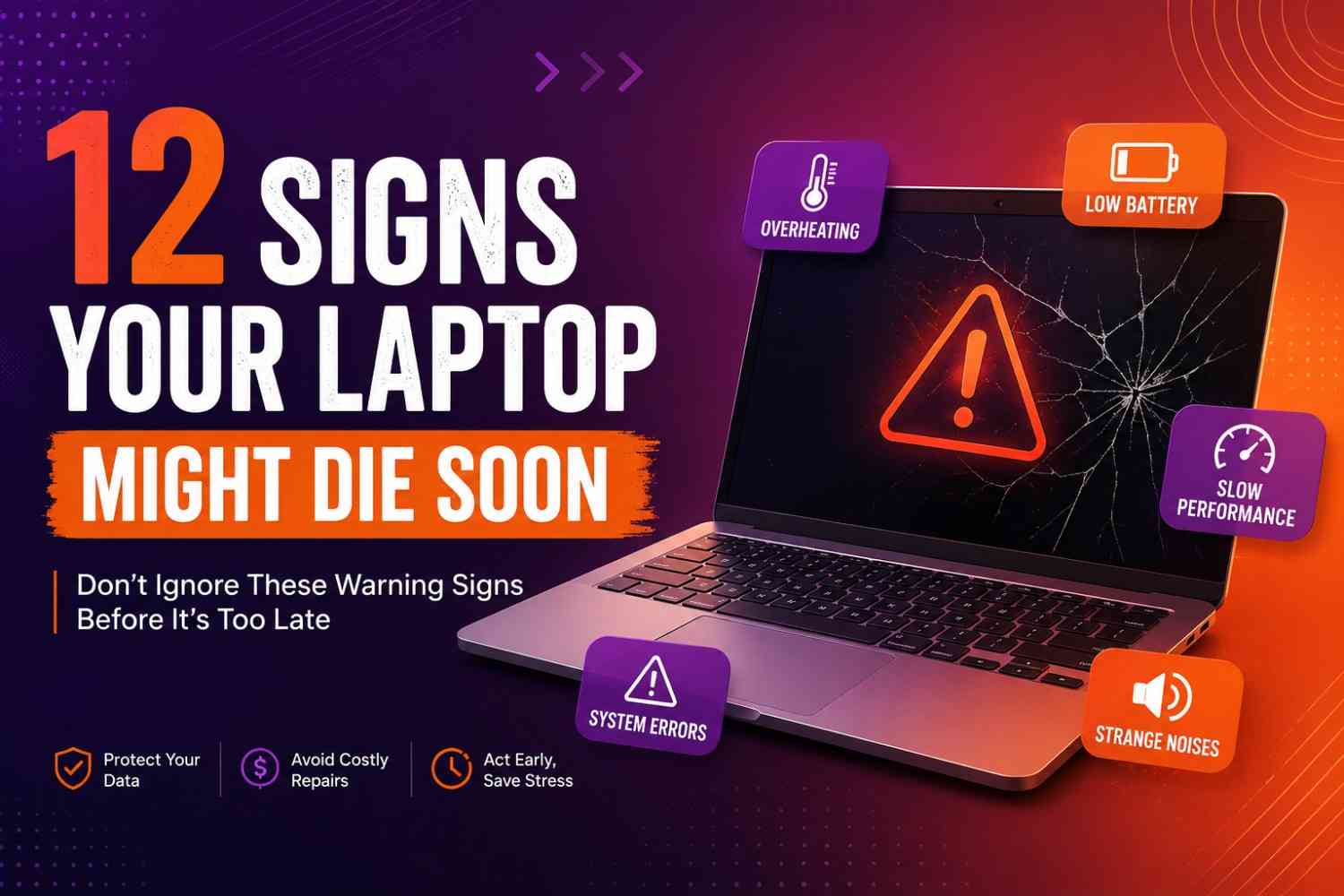
If your laptop has been acting strange lately, don’t ignore it. Sometimes these annoying little issues are actually warning signs your laptop might be closer to dying than you think.
Your Laptop Suddenly Becomes Extremely Slow
This is probably one of the biggest warning signs people ignore.
You open your laptop and suddenly everything feels… heavy. A browser tab takes forever to load. Apps open like they’re dragging themselves to work. Even simple things, like typing or switching windows, start feeling weirdly slow.
Now, not every slow laptop means disaster. Sometimes it’s just too many tabs, low storage, or an update running quietly in the background. That kind of slowness usually comes and goes.
But when your laptop stays slow for days or weeks, especially if startup suddenly takes forever or basic tasks start lagging, pay attention.
I’ve noticed this happens a lot when a storage drive starts struggling, RAM gets overwhelmed, or the laptop quietly overheats in the background. Sometimes dozens of hidden apps are also running without you realizing.
A good question to ask yourself is this: Did my laptop suddenly change? Because if it used to run fine and now struggles doing normal things, your laptop might be trying to tell you something before a bigger problem shows up.
Sometimes people confuse slow internet with a slow laptop. If your laptop feels laggy only online, check out why Wi-Fi works fine on your phone but feels slow on your laptop.
The Fan Sounds Like an Airplane Taking Off
You know that moment when you open two tabs and suddenly your laptop sounds like it’s preparing for takeoff? Yeah… that’s not something to casually ignore.
A laptop fan getting loud once in a while is normal, especially during gaming, editing, or having twenty tabs open for absolutely no reason. But when the fan starts running loudly during basic things like watching videos, checking emails, or even just sitting idle, something may be off.
Most of the time, it happens because dust quietly builds up inside and blocks airflow. Sometimes the cooling system struggles to keep up, or the processor starts working way harder than it should. I’ve also seen laptops heat up simply because too many hidden background apps were running without the owner realizing.
Touch the bottom of your laptop for a second. If it feels unusually hot and sounds constantly loud, pay attention to that pattern.
Your laptop works hard to cool itself down. When it suddenly starts sounding stressed all the time, it might be trying to warn you before heat starts damaging things inside
Random Freezing or Sudden Crashes
This one usually starts small.
Maybe your screen freezes for a few seconds and comes back like nothing happened. An app randomly closes. Your laptop restarts on its own once, and you tell yourself, weird… but okay.
The problem is when it keeps happening.
If your laptop starts freezing during normal tasks, crashing apps for no reason, showing blue screen errors, or randomly restarting in the middle of work, don’t brush it off as “just a glitch.” One bad day? Fine. Repeated problems? That’s different.
I’ve noticed laptops rarely become unstable for no reason. Sometimes it’s overheating quietly in the background. Sometimes storage starts failing, memory struggles, or system files begin acting up. Whatever the reason, repeated crashes are usually your laptop’s way of saying something deeper is not happy.
A small tip that saves a lot of regret: if crashes are becoming frequent, back up your important files sooner rather than later. People always think they have more time… until the laptop suddenly decides otherwise.
The Fan Sounds Like an Airplane Taking Off
A laptop fan should make some noise now and then. What it shouldn’t do is sound like it’s fighting for its life while you’re just checking emails.
One thing I’ve noticed is that people get used to the noise. Day by day, the fan gets a little louder, the laptop gets a little warmer, and eventually it feels normal. But a fan running at full speed during basic tasks is usually trying to solve a problem, not create one.
A common culprit is dust. It quietly collects inside the vents and blocks airflow until the cooling system has to work twice as hard. Other times, the processor is under constant stress from background apps, updates, or hardware that isn’t performing as efficiently as it once did.
Pay attention if the fan never seems to settle down. If your laptop sounds busy even when you’re doing almost nothing, it may be struggling to keep temperatures under control.
The fan is one of the few parts of a laptop that actually tells you when something is wrong. The trick is listening before the noise becomes a much bigger problem.
Strange Clicking, Grinding, or Buzzing Sounds
A laptop making noise is normal. A laptop making weird noise? That deserves attention.
If you suddenly hear clicking, grinding, buzzing, or tiny electrical sounds that were never there before, don’t just ignore them and hope they disappear. Computers usually get noisy for a reason.
That repetitive clicking sound people sometimes hear? Older laptops with hard drives can make that noise when the drive starts struggling. It doesn’t always mean immediate disaster, but it’s definitely not something I’d casually ignore. Buzzing or faint electrical sounds can also point to hardware stress, overheating, or power-related issues.
One thing worth knowing: many newer laptops use SSD storage instead of old hard drives. SSDs don’t have moving parts, so they usually stay quiet. If a modern laptop suddenly starts making strange sounds, I’d pay even closer attention.
A simple rule I follow: if your laptop suddenly develops a “new sound” that keeps coming back, treat it like a warning instead of background noise. And maybe back up your files before the laptop makes that decision for you.
If you suspect storage problems, basic drive health checks can help spot issues early.
Battery Starts Dying Way Too Fast
A laptop battery getting weaker over time is normal. But when it suddenly starts acting weird, that’s when I’d start paying attention.
Maybe it used to last five hours and now struggles to survive one meeting. Or the battery percentage starts jumping around like it’s confused — 60%… 42%… suddenly 15%. Sometimes the laptop even shuts off out of nowhere while still showing battery left.
That kind of behavior usually means the battery is struggling, especially if your laptop is a few years old. Batteries wear out quietly, and most people don’t notice until they’re constantly reaching for the charger.
One thing I really wouldn’t ignore is swelling. If your laptop suddenly looks slightly lifted, the keyboard feels raised, the trackpad seems harder to press, or the bottom looks puffed up, stop and check it. A swollen battery is not one of those “I’ll deal with it later” situations.
A simple question worth asking: Does my laptop still behave the way it used to when unplugged? If the answer is no, your battery may be trying to tell you it’s close to giving up.
If your battery has suddenly started disappearing faster than usual, I wrote a full guide on why laptop batteries drain so fast and what actually helps
Moreover, You can also check your laptop’s battery health report directly in Windows.
Screen Starts Flickering or Acting Weird
Laptop screens usually don’t become strange overnight for no reason.
Maybe the screen flickers for a second and comes back. You notice random lines that weren’t there before. Sometimes the display suddenly goes black for a moment, colors start looking odd, or tiny spots on the screen just stop responding completely.
At first, it’s easy to ignore because the laptop still works. You close it, reopen it, and somehow convince yourself the problem disappeared. Until it keeps happening.
Sometimes it’s something small like a loose display connection or outdated graphics drivers. Other times, it can point toward a struggling screen, graphics issue, or hardware starting to fail quietly in the background.
One thing I’ve learned with tech: repeated weird behavior matters more than one random glitch. If your screen keeps acting up, don’t wait for the day it decides not to turn on properly at all.
And a quick tip that honestly saves stress — back up important files while the screen still cooperates. Screens rarely ask permission before getting worse.
Laptop Overheats Constantly
A warm laptop after hours of work? Normal. A laptop that feels like it could cook breakfast? Not so normal.
If the keyboard feels unusually hot, the bottom panel almost burns your lap, or your laptop heats up from doing simple things like browsing or watching videos, I wouldn’t ignore it.
Overheating has a sneaky way of becoming “normal” because it happens slowly. You notice the fan getting louder. The laptop feels warmer than usual. Then one day it starts lagging, freezing, or randomly shutting down to protect itself from heat.
A lot of times, it comes down to blocked vents, dust buildup, poor airflow, or too many heavy apps running in the background. Even using a laptop on a blanket or pillow can quietly trap heat without people realizing.
The thing about heat is that it doesn’t always break things instantly. It slowly wears components down over time. Batteries age faster, performance drops, and internal parts stay under stress for longer than they should.
A simple habit that helps: if your laptop constantly feels hot, don’t just tolerate it. Clean the vents, give it breathing space, and pay attention before overheating turns into an expensive problem.
Even basic laptop cleaning can improve airflow more than people expect.
Charging Problems Start Happening
Charging issues are one of those things people put up with for way too long.
At first, it feels small. You plug the charger in and nothing happens… unless you move the cable a certain way. Maybe charging suddenly becomes painfully slow, or the laptop randomly switches between charging and not charging like it can’t make up its mind.
I’ve seen people treat this like a minor inconvenience for months. They learn the “perfect charger angle” and somehow make peace with it. But honestly, that’s usually a sign something isn’t right.
Sometimes the charger itself is damaged. Other times, the charging port becomes loose, dirty, or starts wearing out. And if your laptop suddenly throws messages like “battery not detected” or stops recognizing the charger properly, I’d definitely pay attention.
One thing worth noticing is patterns. If charging problems are becoming more frequent instead of random, your laptop may be quietly moving toward a bigger issue.
A quick habit that saves headaches: avoid yanking chargers out aggressively and don’t ignore a cable that already looks bent or damaged. Small charging problems have a habit of turning into expensive repairs when ignored too long.
Weird Popups, Errors, or Corrupted Files
This one feels small at first… until suddenly everything feels off.
Maybe a file you swear you saved is suddenly missing. A program that always worked refuses to open. Random error messages start appearing out of nowhere, and your laptop begins acting strangely in ways you can’t really explain.
The frustrating part is that people usually ignore this stage because the laptop still turns on. You restart it, click “OK” on the error, and move on with life. But when problems keep repeating, I’d pay attention.
Sometimes these weird issues happen after a bad update or software glitch. But when files start corrupting, programs crash often, or the system feels unstable all the time, it can point to storage problems quietly building in the background.
One habit I genuinely think saves people a lot of regret: the moment your laptop starts acting unpredictable, back up important stuff. Photos, documents, passwords, anything you care about. A laptop usually gives warning signs before bigger failure — the trick is not waiting until it’s too late to listen.
Before troubleshooting file problems, it helps to understand what actually happens when you delete a file from your laptop.
Running a trusted malware scan is worth trying if things suddenly feel off.
Your Laptop Suddenly Makes Weird Smells
This is one sign I would never mess around with.
If your laptop suddenly smells like something is burning, hot plastic, or has that weird electrical smell that feels “off,” don’t ignore it and definitely don’t keep using it like nothing happened.
Laptops naturally get warm, sure. But smells are different. A strange odor can sometimes mean overheating, dust burning inside, charging issues, or in some cases, a battery starting to fail. And trust me, batteries do not always give polite warnings.
I’ve seen people shrug it off thinking, maybe it’ll go away, while continuing to charge the laptop overnight. Bad idea.
A simple rule I follow: if a laptop smells unusual and the smell keeps coming back, unplug it, shut it down, and stop using it until you figure out what’s causing it. Tech problems are annoying. Electrical problems are a different category.
Your laptop freezing is inconvenient. Your laptop smelling like it’s cooking itself? That deserves immediate attention.
What To Do If Your Laptop Shows These Signs
Alright, first thing — don’t panic and immediately start shopping for a new laptop.
A struggling laptop doesn’t always mean it’s completely finished. Sometimes it just needs attention before a small issue becomes expensive.
The first thing I would do? Back up everything important. Immediately. Photos, documents, passwords, work files — all of it. If your laptop is acting strange, assume nothing is guaranteed.
After that, try a few simple things before assuming the worst:
Check what’s eating performance — too many startup apps and hidden programs can quietly slow things down.
Clean vents and fans — dust buildup causes more laptop problems than people realize. A laptop that can breathe usually behaves better.
Check battery health — especially if battery life suddenly dropped or charging feels inconsistent.
Update drivers and system updates — weird glitches sometimes come from outdated software, not dying hardware.
Run built-in diagnostics — most laptops already have tools that check storage, memory, and hardware problems.
And here’s the honest truth: sometimes repair makes sense, sometimes it doesn’t. Replacing a battery or upgrading storage? Usually worth it. Replacing multiple expensive parts on an old struggling laptop? Maybe not.
A good question to ask is: Will fixing this laptop actually give me another few good years, or am I forcing something that’s already tired? Sometimes the smartest tech decision is knowing when to repair… and when to let go.
Frequently Asked Questions (FAQs)
1. How do I know if my laptop is dying?
If your laptop suddenly becomes very slow, overheats often, crashes randomly, makes strange noises, or has battery and charging problems, those can be warning signs. One issue alone may not mean much, but repeated problems usually deserve attention.
2. Can a dying laptop be fixed?
Sometimes, yes. If the problem is related to the battery, storage, fan, or overheating, repairs can be worth it. But if multiple expensive parts start failing in an older laptop, replacement may make more sense.
3. Why is my laptop suddenly so slow?
A slow laptop can happen because of too many background apps, low storage, overheating, malware, or a struggling hard drive/SSD. If it became slow very suddenly, it’s worth checking before it gets worse.
4. Is overheating bad for a laptop?
Yes, constant overheating quietly stresses internal parts over time. It can slow performance, shorten battery life, and sometimes cause sudden shutdowns if the laptop gets too hot.
5. What should I do before my laptop dies completely?
Back up important files as soon as possible. Then check battery health, run hardware diagnostics, clean vents, update drivers, and see whether repair makes sense before things become worse.
6. How long do laptops usually last?
Most laptops last around 3–7 years depending on how heavily they’re used, build quality, and maintenance. A well-cared-for laptop can sometimes last even longer.
7. Why does my laptop fan suddenly get loud?
A loud fan usually means your laptop is trying hard to cool itself down. Dust buildup, overheating, too many background apps, or heavy programs can all make the fan work overtime.
8. Should I replace or repair my laptop?
It depends on the cost and age of the laptop. Replacing a battery or upgrading storage is often worth it, but major repairs on an older laptop may cost more than it’s worth.
Final Thoughts: Don’t Wait Until It Completely Dies
Most laptops don’t just quit on a random Tuesday morning for absolutely no reason.
Usually, they start dropping hints. A louder fan. Strange heat. Slower performance. Random freezing. Charging issues you keep promising yourself you’ll deal with “later.”
The tricky part is that these signs feel small in the moment. The laptop still turns on, so you convince yourself it’s fine. And honestly, most of us do that. Until one day the screen stays black and suddenly all those little warnings make sense.
The good news? Catching problems early can genuinely save your files, your money, and a lot of stress.
You don’t need to panic over every glitch. Just pay attention to patterns. If your laptop suddenly starts acting differently than it used to, there’s usually a reason behind it.
Because here’s the truth: most laptops don’t suddenly die — they usually whisper before they scream.
2 thoughts on “10 Signs Your Laptop Might Die Soon (Don’t Ignore These Warning Signs)”