
I used to think deleting a file was the digital version of throwing something in the trash. You click delete. Maybe hesitate for half a second. Then boom. Gone forever.At least that’s what most of us think. Have you wondered "What happens when you delete a file ?"
Especially after emptying the Recycle Bin like we just erased all evidence of our bad decisions.Old screenshots? Gone. Embarrassing selfies from 2017? Gone. That random assignment named final_final_REALfinal.docx ?
Definitely gone.Or… maybe not. The weird thing about computers is they don’t think the way we think. Humans hear the word “delete” and imagine something disappearing into thin air. Computers are a little more dramatic than that.
They like to keep secrets.And this honestly surprised me the first time I learned it. Because when you delete a file, there’s a good chance it’s still sitting somewhere inside your computer quietly existing like a ghost nobody talks about.Sounds creepy.
But also kind of fascinating. So what actually happens when you delete a file? Is it really gone? Or is your laptop secretly holding onto your digital history like a hoarder?
Let’s talk about it
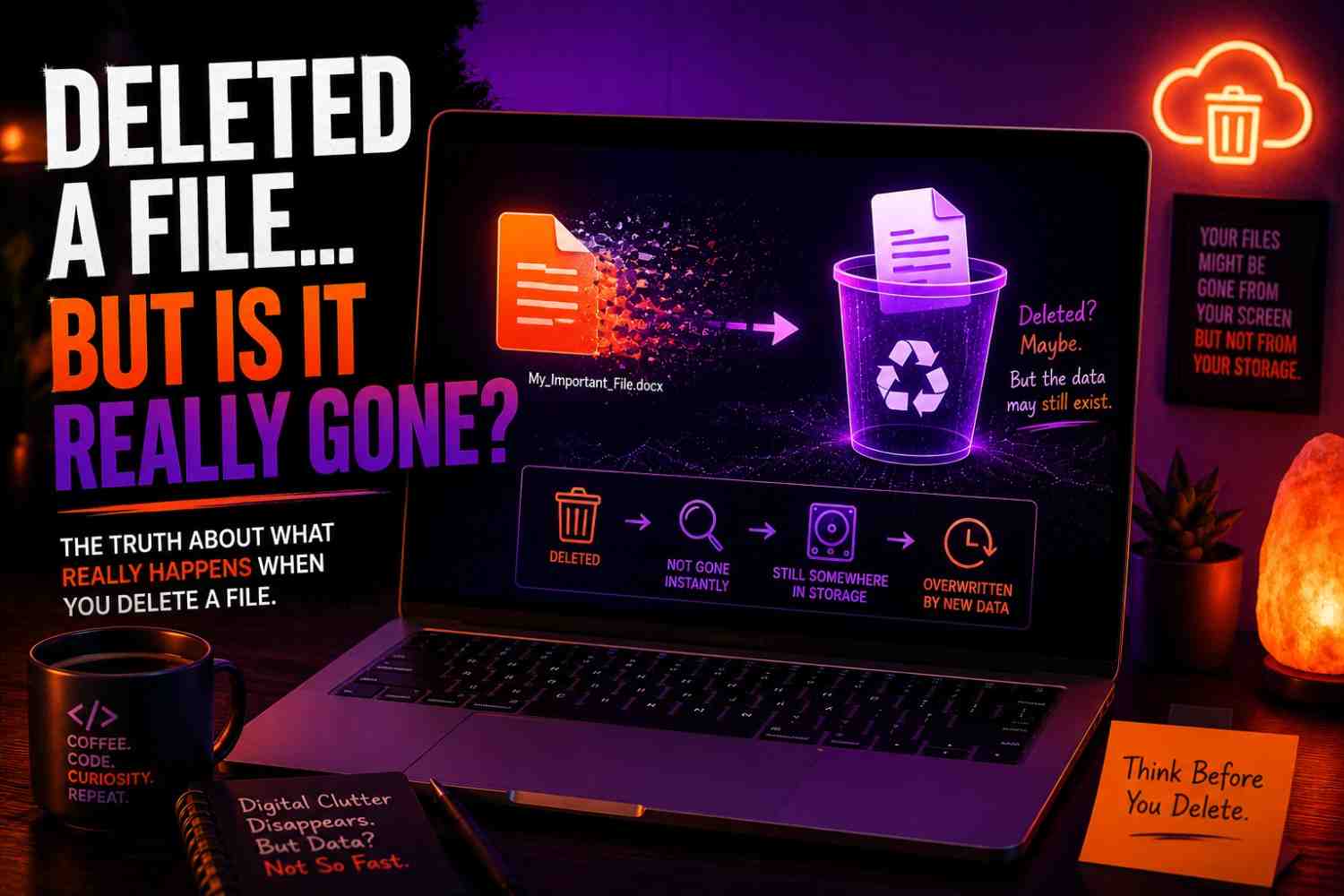
First Things First: What Happens When You Press Delete ?
Most people think pressing delete destroys the file instantly. It doesn’t. Usually, the first thing that happens is pretty boring.Your computer simply moves the file into the Recycle Bin on Windows or the Trash folder on Mac. That’s it.
Your file basically gets sent to a waiting room. It’s still there. Still alive. Still taking up storage space.Your computer is basically saying: "Hey, I’ll keep this here in case you panic and change your mind in five minutes."
Before panicking, always check the Recycle Bin first. You’d be surprised how many ‘lost forever’ files are just sitting there waiting to be restored
Microsoft explains how deleted files can often be restored from Recycle Bin or Trash if they haven’t been permanently removed yet.
Which, honestly, happens more than we admit. You accidentally delete family photos. An important PDF.\That assignment you forgot was due tonight.Then suddenly you’re opening the trash folder like your life depends on it.
And thankfully, most of the time, your file is sitting there waiting for forgiveness. But here’s where things get interesting. Even after you empty the Recycle Bin… That file may still not be fully gone.Yeah.This is where things start getting weird.
Emptying the Recycle Bin Doesn’t Always Mean “Gone Forever”
This part genuinely surprised me when I first learned it. You’d think emptying the trash means your computer destroys everything inside.But in many cases? Not exactly. Here’s the easiest way to understand it.
Imagine a library.Your file is a book. Deleting the file doesn’t always burn the book. Sometimes, the computer simply removes it from the catalog.The book is still sitting on the shelf. People just don’t know where to find it anymore. That’s basically what happens with a lot of deleted files.
Your computer marks that storage space as available to use again.It says:"Cool. If I need this space later, I can overwrite it."But until something new takes that spot? Pieces of the deleted data might still be sitting there.
Which is exactly why deleted files recovery exists. And why people sometimes recover photos they deleted months ago.Now before you get too excited… This doesn’t mean every deleted file can magically come back.
Sometimes it works. Sometimes it does not. And timing matters way more than people realize.
A Visual Guide For You !
If you’re more of a visual learner, this quick video gives a surprisingly clear look at how deleting files actually works and what “permanent delete” really means on Windows.
So… Why Can Deleted Files Sometimes Be Recovered?
This is the part that feels a little bit like computer magic. Or computer betrayal. Depends on how you look at it.If you’ve ever accidentally deleted something important and somehow managed to get it back, you’ve already seen this in action.
Maybe it was old vacation photos. A video you forgot to back up. An assignment you spent five painful hours on. You probably searched something like:"Can deleted files be recovered?"And surprisingly… the answer is often yes.
Here’s why. When a file gets deleted, the actual data may still be sitting inside your hard drive or storage system. Your computer just stops pointing toward it.Think of it like removing a house address from a map.
The house still exists. You just don’t know how to get there anymore. That’s where data recovery software comes in. Recovery tools try to search through your computer’s storage and find those hidden leftovers before something else replaces them. Check Windows File Recovery tool
But—and this matters a lot—time is everything. The moment you realize you deleted something important, stop doing random stuff on that device.Seriously.Don’t start downloading ten recovery apps. Don’t keep taking screenshots.
Don’t save giant videos.Because every new thing you save increases the chance that your computer overwrites the deleted file. And once new data settles into that spot? That’s when recovery becomes really difficult.
Sometimes impossible. Which sounds dramatic, but it’s true.
HDD vs SSD: Why Your Storage Type Changes Everything
Okay, tiny bit of tech knowledge here. But I promise I’ll keep this simple.Not all storage works the same. This matters because your chances of recovering deleted files can change depending on what type of drive you have.
Traditional Hard Drives (HDD)
Older computers often use HDD storage. These drives are kind of old-school. When you delete something, the deleted data sometimes hangs around longer.Meaning there’s a better chance of recovering deleted files if you act quickly. It’s not guaranteed. But the odds are usually better.
Solid State Drives (SSD)
Most modern laptops and phones now use SSD storage. These are much faster.But here’s the catch. SSDs often use something called the TRIM command.And honestly? TRIM is ruthless.Its whole job is basically cleaning up deleted data faster so your computer stays speedy. Good for performance.
Bad if you accidentally deleted your wedding pictures. Because on SSDs, files can disappear for real much faster than people expect.Which is why someone might recover deleted photos easily from one laptop…
But completely fail on another. Same mistake. Different storage. Different outcome.
What About “Permanently Delete”?
Ah yes. The scary option.You know when you hit Shift + Delete on Windows?Or your computer asks:"Are you sure you want to permanently delete this file?"
That wording sounds serious.Like some dramatic movie scene. No going back. No second chances.But here’s the weird truth: Permanent deletion doesn’t always mean permanent. At least not immediately. A lot of the time, it simply skips the Recycle Bin and marks the storage space as reusable faster.
That’s why professionals, tech experts, and sometimes even investigators can occasionally recover things people thought disappeared forever.A deleted document. Old messages. Pictures. Again, it depends.How long ago ?
What storage type ? How much new data was added afterward ?But the idea that deleting automatically destroys everything instantly? Not always true.And honestly, most people never realize this.
If you’re selling a laptop, just deleting files isn’t enough. You should securely erase deleted data first.”Windows provides tools to overwrite free space and make previously deleted files harder to recover.
How to securely erase deleted data in Windows
What About Factory Reset? Does That Delete Everything ?
This one surprises people. Because many assume a factory reset completely wipes a device clean. Sometimes yes. Sometimes… not really. A reset often removes visible access to files and clears settings.
But depending on the device and reset method, traces of old data may still exist underneath. This becomes important when selling old laptops or phones.I know people who sold devices thinking: "I deleted everything. We’re good."
Meanwhile, personal documents, photos, or saved information could still potentially be recoverable.That’s a little terrifying. Especially if sensitive stuff was stored there. So if you’re getting rid of a device?
Don’t just delete files.Look into secure erase options. Because privacy matters way more than most people think.
So When Are Files ACTUALLY Gone?
Okay. After all this, you’re probably wondering:"Fine.
Then when is deleted data really gone?"Fair question.Usually, files become truly unrecoverable when:
1. New Data Overwrites It
This is the big one. If your deleted file’s storage space gets reused by new files, recovery chances drop hard. Imagine writing over old pencil notes with permanent marker. Good luck getting the original back.
2. Secure Erase Tools Are Used
Some tools intentionally overwrite data multiple times. Basically the digital version of shredding paper and then setting it on fire. A bit dramatic. But effective.
3. The Device Gets Physically Damaged
Water damage.
Broken drives.Hardware failure.
Sometimes recovery just isn’t realistic anymore
4. Encryption + Proper Reset
Certain systems make recovery extremely difficult if encrypted properly before resetting.This is actually a good thing for privacy
5.Real world discussions
You want to learn what real people are discussing regarding "where files actually go"
Why This Matters More Than People Think
Honestly? This topic sounds nerdy at first.Until you accidentally delete something important. Then suddenly you care a lot. Maybe it’s family photos. Old videos of someone you miss.Tax documents. Work files.
A university project you forgot to back up.Or maybe it’s the opposite. Maybe you’re selling an old laptop and realizing:"Wait… what if my stuff is still in there?"That’s the thing.
Understanding what happens when you delete a file isn’t just random tech knowledge. It’s useful. It helps you protect memories.Protect privacy. And avoid mistakes that feel absolutely painful afterward.
Because sometimes deleted files are recoverable. And sometimes they’re not. Knowing the difference matters.
Frequently Asked Questions (FAQs)
1.When you delete a file, is it really gone ?
Not always. In many cases, the file is not immediately erased from your storage. Instead, your computer marks that space as available for new data. Until something overwrites it, deleted files may still be recoverable
2.Where do deleted files go ?
Usually, deleted files first move to the Recycle Bin on Windows or the Trash folder on Mac. If you empty those folders, the file may still remain hidden in storage until new data replaces it.
3.Can permanently deleted files be recovered ?
Sometimes, yes. Permanently deleted files can occasionally be recovered using data recovery software, especially if they were deleted recently and haven’t been overwritten yet.
4.Does emptying the Recycle Bin permanently delete files ?
Not always. Emptying the Recycle Bin removes easy access to the file, but traces of the deleted data may still exist until overwritten.
5.Are deleted files gone forever on SSDs?
Not necessarily, but recovery is often harder. Many SSDs use something called the TRIM command, which can remove deleted data faster than traditional hard drives
6.What is the difference between deleting and permanently deleting a file ?
Regular deletion usually sends files to the Recycle Bin or Trash first. Permanent deletion (like Shift + Delete) skips the trash folder, though the data may still remain recoverable for some time.
7.Can hackers recover deleted files ?
In some situations, yes. If files were not securely erased, recovery may be possible. This is why securely wiping sensitive information before selling a device is important.
8.How do I permanently erase files so nobody can recover them ?
Using secure erase tools, overwriting storage, or factory resetting properly (especially with encryption enabled) makes recovery much more difficult.
Final Thoughts: So… Is a Deleted File Really Gone?
Here’s the short answer. Sometimes yes. Sometimes absolutely not. Deleting a file doesn’t always erase it instantly.A lot of the time, your computer quietly says: "I’ll deal with this later." Until new data takes over.
Which means deleted doesn’t always mean destroyed.Sometimes it just means hidden. And honestly? That changed the way I think about my computer. Now when I delete something important,
I double-check.When I sell devices, I clean them properly.And when people say:"Don’t worry, I deleted it."I quietly think…"You sure about that?"
If you have any query just comment or DM us