
Remote work and online learning are no longer temporary trends. Zoom meetings, Google Meet calls, Microsoft Teams sessions, and virtual classrooms have become a daily reality for students, professionals, teachers, freelancers, and even doctors working from home.
But the problem most people face is “My laptop works fine, but my video looks bad, my mic sounds unclear, or Zoom keeps lagging.”
This is exactly why choosing the best laptop for Zoom meetings and online classes is different from choosing a gaming or editing laptop. You don’t need extreme power—but you do need the right balance of webcam quality, microphone clarity, stable performance, and comfort for long hours.
This guide is written to help real users—not marketers—understand what actually matters when buying a laptop for Zoom calls, online classes, and video meetings in 2026.

Why Zoom & Online Classes Need a Different Kind of Laptop
Many people assume that “any laptop” can handle Zoom. Technically, yes—but practically, not well.
Zoom meetings and online classes demand:
- Consistent performance (not raw power)
- Clear audio and video
- Stable internet handling
- Comfort during long sessions
A laptop that fails in any one of these areas leads to:
- Video freezing
- Audio cutting out
- Overheating
- Eye strain
- Fatigue during long meetings
That’s why choosing a laptop for Zoom calls should be a deliberate decision, not an afterthought.
Core Requirements for a Good Laptop for Video Meetings
Let’s break this down properly.
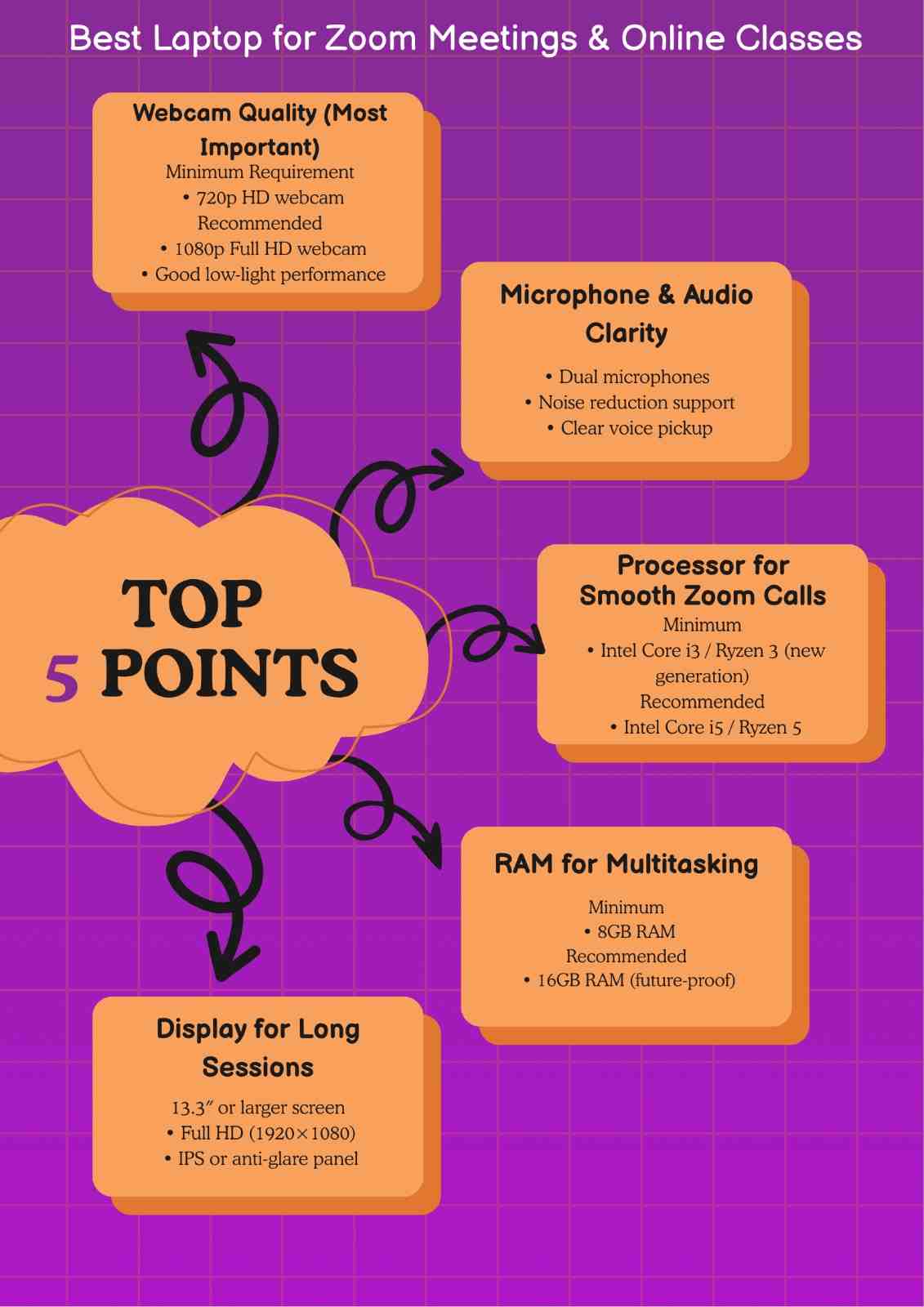
1. Webcam Quality (More Important Than You Think)
Your webcam is your face in remote work and online classes.
Minimum specs required:
- 720p webcam (absolute minimum)
Recommended in 2026:
- 1080p webcam
- Good low-light performance
- Natural skin tones (not washed out)
A poor webcam can make you look:
- Blurry
- Dark
- Unprofessional
This matters a lot for:
- Job interviews
- Online exams
- Client meetings
- Teaching sessions
A laptop with a good webcam instantly improves how confident and professional you appear—without saying a word.
2. Microphone Quality (Clarity Beats Loudness)
Many people blame their internet when the real issue is the microphone.
A good laptop for video meetings should have:
- Dual or studio-style microphones
- Noise reduction
- Clear voice capture without echo
Bad microphones cause:
- “Can you repeat that?”
- Voice distortion
- Background noise issues
If your laptop mic is poor, even a perfect webcam won’t save the meeting. Best Laptop for Medical Students
3. Stable Performance for Zoom Calls
Zoom, Google Meet, and Teams are not heavy apps—but they are sensitive apps.
Recommended specs for smooth Zoom performance:
- Modern Intel Core i5 / AMD Ryzen 5 (or equivalent)
- Minimum 8GB RAM
- SSD storage (non-negotiable in 2026)
This ensures:
- No freezing during screen sharing
- Smooth switching between tabs
- Stable performance in long sessions
A laptop can be “fast” on paper but still struggle if it uses outdated hardware or poor thermal design.
4. Display Comfort for Long Online Classes
Online classes and remote work often mean:
- 4–8 hours of screen time daily
Your display must be:
- At least Full HD (1920×1080)
- Anti-glare or matte
- Easy on the eyes
Avoid:
- Low-resolution displays
- Overly glossy screens.
- Poor brightness levels
Eye strain is one of the most ignored problems in home office setups.
5. Battery Life for Flexibility
Even if you mostly work at a desk, battery life matters.
A good laptop for Zoom meetings should offer:
- At least 7–9 hours of real-world use
- Stable performance even on battery
This helps during:
- Power outages
- Travel
- Study sessions outside your room
Internet Stability: The Silent Factor
Many people blame Zoom when meetings lag—but the issue is often Wi-Fi handling.
Your laptop should have:
- Modern Wi-Fi standards
- Stable network adapters
- Good antenna placement
Older laptops often drop connections even with fast internet.
Keyboard & Trackpad: Small Things That Matter Daily
During online classes and meetings, you’ll be:
- Taking notes
- Typing messages
- Navigating quickly
A comfortable keyboard:
- Reduces fatigue
- Improves productivity
- Helps during long study hours
This is especially important for students and remote professionals.
Laptop for Zoom Call vs Laptop for Online Classes
Although similar, there are slight differences.
For Zoom Calls (Professionals & Remote Workers)
Priority:
- Webcam quality
- Microphone clarity
- Professional appearance
- Stable multitasking
For Online Classes (Students & Teachers)
Priority:
- Battery life
- Comfortable display
- Lightweight design
- Affordable reliability
The best laptops balance both.
Home Office Setup: The Bigger Picture
Your laptop doesn’t work alone. It’s part of a home office setup.
To get the best results:
- Use good lighting (natural or soft white)
- Sit at eye level with the webcam
- Keep background simple
- Use headphones if needed
A good laptop amplifies a good setup. Best Laptops for Content Creation
Common Mistakes People Make When Buying a Laptop for Zoom
Avoid these traps:
- Buying high specs but poor webcam
- Ignoring microphone quality
- Choosing very cheap models with HDDs
- Overpaying for gaming power you don’t need
- Ignoring comfort for long sessions
Zoom meetings don’t need flashy specs—they need balance.
Our Practical Recommendation Section (Short & Neutral)
Without turning this into an affiliate list, here’s general guidance:
- Look for business-class or productivity laptops
- Avoid entry-level models with 4GB RAM
- Prefer newer generations (2023+ designs)
- Check real user reviews about webcam & mic
This keeps your choice future-proof.
Who Should Use This Guide ?
This guide is ideal for:
- Students attending online classes
- Teachers conducting virtual lectures
- Remote workers and freelancers
- Professionals attending daily Zoom meetings
- Anyone building a home office setup
Frequently Asked Questions-FAQs
1. Which device is best for Zoom meetings ?
A modern laptop or desktop computer is best for Zoom meetings because it offers a stable internet connection, better webcam and microphone quality, and smoother multitasking. Laptops are preferred for flexibility and portability.
2.How much RAM do I need to run Zoom ?
Zoom runs smoothly on 8GB RAM, which is ideal for video calls, screen sharing, and multitasking with browsers or documents. While 4GB can work, it often causes lag during long or busy meetings.
3.What is a good laptop for online college classes ?
A good laptop for online college classes should have a reliable webcam, clear microphone, Full HD display, SSD storage, and at least 8GB RAM. Comfort, battery life, and smooth performance matter more than high-end specs.
4.Is a laptop or tablet better for Zoom meetings ?
A laptop is better than a tablet for Zoom meetings because it provides better multitasking, keyboard comfort, and stable performance. Tablets are fine for casual calls, but laptops are more reliable for classes and professional meetings.
Final Thoughts: Choosing the Best Laptop for Zoom Meetings and Online Classes
The best laptop for Zoom meetings and online classes is not the most expensive one. It’s the one that disappears into the background and lets you focus on your work, studies, or conversations without distractions.
Prioritize:
- Webcam and microphone quality
- Stable performance
- Display comfort
- Battery life
If you get these right, your Zoom experience will improve instantly—without stress or regret.
If you found this guide helpful, feel free to share your thoughts in the comments. Your experience can help other students make better decisions. You can also check our detailed guide to Best Laptops for Video Editing in 2026
If you want to connect with us directly, feel free to contact us